How to Use AI and Print-on-Demand to Build a Hands-Off Product Business with Printful and Etsy
If you want a side hustle that can keep working while you sleep, print-on-demand is one of the smartest models to explore.
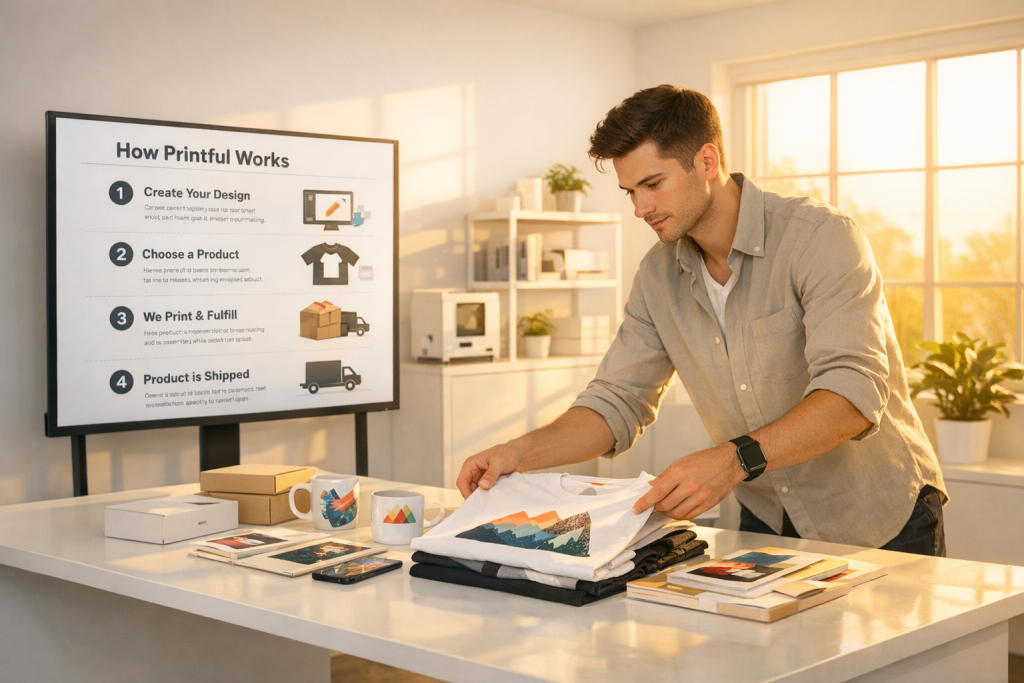
The big advantage is simple: you create the design, the platform prints and ships the product, and your store handles the sale. That means you can launch products without buying inventory upfront or packing a single box yourself.
TL;DR: Use AI to generate product designs, upload them to Printful, connect your store like Etsy or Shopify, and publish products that Printful fulfills automatically. You can also use AI for SEO product descriptions and social content to grow faster.
Why This Business Model Works Right Now
Print-on-demand works because it removes the biggest barrier in e-commerce: inventory risk. Instead of ordering hundreds of shirts, mugs, or hoodies upfront, you only pay when a customer buys.
That makes it ideal for beginners, creators, and experienced sellers testing new niches. If a design doesn’t sell, you can move on quickly and test another concept without being stuck with unsold stock.
AI makes the process even better because it speeds up the hardest parts of store building. You can use AI to brainstorm niches, generate graphics, create branded concepts, write product descriptions, and even produce promotional content for social media.
Here’s what you need:
- Printful for product creation, printing, and shipping
- Etsy, Shopify, or TikTok-friendly store integration for selling
- AI tools for design ideas, visuals, descriptions, and short-form marketing content
This model is especially powerful because the workflow is seamless. Once your store is connected, orders can move from your marketplace to Printful automatically, so fulfillment becomes almost invisible to you.
That is the real appeal: you focus on ideas, branding, and marketing while the system handles the physical production and delivery.
Step-by-Step Guide to Building the System
Step 1: Choose a product category and a winning niche
Start inside Printful by browsing product categories. A smart first move is to keep it simple and choose a classic product like a t-shirt.
Look at the platform’s suggested best sellers and recommended products. These suggestions are useful because they can help you focus on items that already have market demand.
For example, a unisex staple t-shirt is a practical starting point because it works with many niches and has broad appeal.
Step 2: Open the design canvas
Once you pick a product, you’ll enter a blank design area. This is where you upload your artwork or create a design directly for the garment.
One of the biggest advantages is customization. You are not limited to just the front of the shirt. Depending on the product, you can place artwork on the front, back, left sleeve, right sleeve, inside label, and outside label.
This matters because custom branding can make your products feel more professional and more valuable. It also gives you more opportunities to stand out from generic sellers.
Step 3: Use AI to generate a design concept
If you do not already have artwork, use AI to help generate a design idea. Start by choosing a clear niche, such as fitness, basketball, or another interest-based market.
The goal is to create something that feels aligned with a specific audience. For example, if you are targeting fitness buyers, your design should reflect that style, theme, or identity.
In Printful’s design area, you can search or browse quick design options and clip art-style assets. A simple approach is to type in your niche keyword, review the available design elements, and select one that fits your idea.
Keep the design clean and wearable. A strong niche design often performs better than an overly complex graphic because it is easier for buyers to understand instantly.
Step 4: Adjust the placement and size
After adding the design to the product, resize and position it carefully. A design that looks good in the editor may need a few visual adjustments before it feels balanced on the shirt.
Use the preview tools to make sure the artwork sits naturally on the garment. The best products usually look simple, clear, and ready to wear.
If the design feels right, save the template. This lets you easily return to it later, duplicate it, or build a full collection around the same concept.
Step 5: Save, review, and prepare the product listing
Once saved, your product will appear in your product list with details like available sizes and management options. From there, you can view, share, edit, rename, or delete the item if needed.
This is where you start thinking like a store owner instead of just a designer. Your job now is to turn the product into something shoppers want to buy.
That means checking the mockup, confirming the design placement, and making sure the product is ready for publishing.
Step 6: Connect your store
The next step is connecting Printful to your store platform. Etsy is a common choice, but Shopify and TikTok-related selling setups also work smoothly.
Once connected, Printful becomes the production and fulfillment engine behind your store. Your store handles the customer-facing side, while Printful receives the order, prints the item, and ships it for you.
This connection is what makes the model so efficient. It allows you to manage everything in a streamlined system instead of juggling separate tools manually.
Step 7: Set up billing and store details
After connecting the store, you will need to enter billing information and account details. This is standard setup for any e-commerce integration.
Take your time here and make sure all payment and personal information is accurate. Once this is done, the system is ready to process orders properly.
At this point, your business can operate with a very lean structure. You are not dealing with warehousing, bulk purchasing, or manual shipping.
Step 8: Publish products and start selling
Once your product is ready, publish it to your store. This is the moment your design becomes a live listing that customers can discover and buy.
When a sale comes in, Printful fulfills the order automatically. That includes printing and shipping, so your involvement stays focused on growth rather than logistics.
You can repeat this process as many times as you want. If one design does not perform, create a new one and test a different niche or angle.
How to Use AI to Grow Faster
AI is not just useful for designs. It can also help you grow the entire store more efficiently and with less guesswork.
One of the best uses is niche research. You can ask AI to help you explore trending themes, subcultures, and product angles inside a category like fitness, sports, lifestyle, or motivation.
AI can also help you write stronger product descriptions for SEO. On platforms like Etsy, good product copy matters because it helps buyers find your listings and understand the value quickly.
Another strong use is content creation for social media. You can use AI to generate short promotional video ideas for TikTok and other platforms.
Consistent posting is key here. A practical recommendation is to upload at least weekly so you keep exposure, momentum, and the chance of organic reach alive.
Pro Tips for Better Results
- Focus on one niche first so your store feels coherent and easier to market.
- Use simple, bold designs because they are often more wearable and easier to sell.
- Test many products quickly since print-on-demand lets you move fast without inventory risk.
- Optimize every listing for SEO with clear titles and descriptions built to match buyer search intent.
- Publish consistently and keep creating new designs instead of waiting for one “perfect” idea.
- Use AI for social content so you can stay active on TikTok without spending hours producing every asset manually.
One of the strongest advantages here is how little money you need to start compared with traditional retail. Since you are not stocking inventory, you avoid the pressure of betting big on a single idea.
If a concept does not work, you can simply switch to another design. That flexibility is what makes print-on-demand such a good fit for beginners and fast-testing entrepreneurs.
Earnings Potential and What to Expect
Your income will depend on product quality, niche selection, pricing, and marketing consistency. The business